What's inside
Everything a GFX tool for BGMI should do
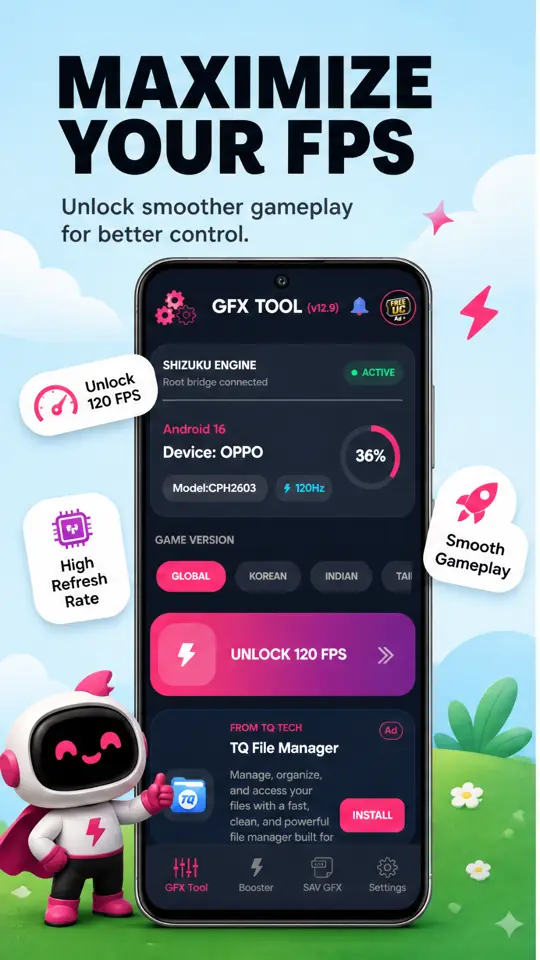
Six tools in one app - frame-rate unlocking, graphics profiles,
a pre-match booster, wide view, a crosshair overlay and a no-root setup path.
Unlock the hidden frame rates
Your game caps at 60 FPS because your model isn't on its allow-list - not because
the hardware can't cope. One slide writes the config that exposes the higher tiers,
up to Ultra Extreme (120 FPS), so you play at the frame rate your
panel was built for.
One-tap GFX profiles
Tuning graphics by hand before every match gets old fast. Download a profile -
Performance Mode for maximum frames, 60 FPS HDR for image quality - tap Apply, and
the whole configuration lands at once.
Booster before you queue
Background apps eat the RAM your match needs. The Booster tab shows live RAM and
CPU load, free storage and your current ping, then frees memory and optimises the
network connection in a tap.
iPad View for a wider field
A narrow field of view means spotting enemies later than the player who saw you
first. iPad View changes the rendering resolution for a wider frame, and a floating
overlay lets you adjust it without leaving the match.
Custom crosshair overlay
Hip-fire is guesswork without a reference point. Switch on an on-screen crosshair,
pick the style, scale it with a slider and choose a colour that stands out against
the map you play most.
No root, no risky APK
Rooting voids warranties and breaks banking apps. This tool goes through
Shizuku instead, which grants the permissions it needs on a stock
phone - and it installs from Google Play, not from an APK mirror.